
Logging in to Coins Game takes a few seconds: press Log in in the top bar of coins.game and use the same route you chose at sign-up, either email and password or one of seven social accounts: Google, Telegram, Twitch, VK, X, Steam or Reddit. On a phone the button sits in the same place, next to Register. Most sign-in problems come from choosing a different route than the one used to open the account. Checked on 19 October 2026.
This guide covers each route, two-factor login, the common problems and what to do when the site itself does not open.
How to log in to Coins Game
Open coins.game, or use the button on this site, which follows the current casino address.
Press Log in in the top bar.
Choose the route you registered with: email and password, or the social button you used.
If two-factor login is on, enter the 2FA key to confirm.
You land in the lobby with your balance and active bonuses shown at the top.
If you are not sure which route you used, try the social button you are most likely to have chosen. A wrong route does not lock the account, but it can open a new, empty one, which is why it is worth getting right.
Social login: which button to press
Coins Game lets players sign in through seven outside accounts. Each one links to a separate Coins Game account, so the route matters:
| Sign-in route | Good to know |
|---|---|
| Email and password | The only route with a password reset by email |
| Uses the Google account signed in on the device | |
| Telegram | Confirms the login in the Telegram app |
| Twitch, Steam, Reddit | Popular with streamers and gamers; confirm in the service's window |
| X and VK | Confirm in the service's window, then return to the casino |
If you registered with a social account, the casino never had a password for you, so "Forgot password" will not help. Use the same social button instead.
Two-factor login
Two-factor authentication is available in the account settings under 2FA. Once it is on, the casino asks you to submit your 2FA key to confirm a login or a sensitive action, in addition to the password or social login. It is the best protection for a crypto balance, because a stolen password alone is then not enough to reach the wallet.
Login problems and how to fix them
Forgotten password
On the login window, choose the password reset, enter the email you registered with and follow the link in the email. Check the spam folder if it does not arrive within a few minutes.
Wrong social account
If you see an empty balance after logging in, you have probably opened a new account with a different route. Log out and try the route you used at sign-up. Support can confirm which route your main account uses.
Lost access to two-factor codes
The support chat can reset 2FA after confirming your identity, which is quicker if your account is already verified.
The site does not open
Check the address, reload the page, clear the browser cache or try another browser. Access also depends on the country you connect from; the casino's Terms of Use list where accounts can be opened. The buttons on this site follow the current casino address.
Customer support
| Channels | Live chat, Help Center, Telegram |
|---|---|
| Hours | 24/7 |
| Live chat | Yes |
| Languages | English, Deutsch, Français, Español, Português, Polski |
One account per person
Coins Game, like every licensed casino, expects one account per person. A second account opened by mistake through another social route is best reported to support, who can close it so that bonuses and verification stay on one profile. Keeping a single account also keeps the VIP level and rakeback rate in one place, which is where the long-term value of the casino sits.
What you find after logging in
Once logged in, the account menu holds everything that belongs to the account:
Global settings and User information: account preferences, security and personal details.
Wallet and Transactions: balances, deposits, withdrawals and exchanges.
Statistics and Betting history: your play and your sport bets.
Bonuses, Rollover and VIP Club: active offers, the rollover bar and your level.
Chat support and Log out.
The account ID shown at the top of the menu is the number support asks for, so it is worth noting down.
Logging in on a phone
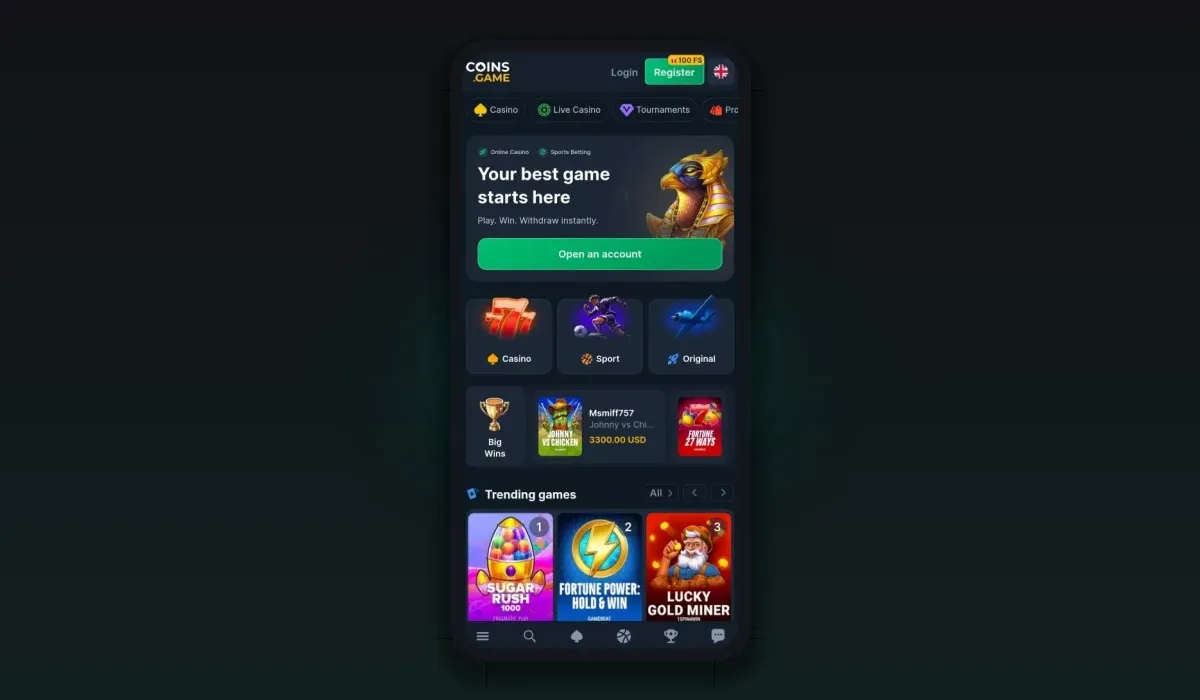
On mobile, the Log in button sits next to Register at the top of the screen, and the account menu sits in the same place as on a computer. Social routes are the quickest here, because Google or Telegram are usually signed in on the phone already and confirm with a tap. If you added the casino to your home screen, the browser usually keeps you logged in between sessions until you log out. The mobile guide shows how to set up the shortcut.
Language and display settings
The interface is available in eighteen languages, from English and German to Japanese, Korean, Turkish, Polish and Finnish, switched from the language menu. The wallet's display currency is a separate setting: "View in USD" shows all balances in US dollars without converting them, which helps when you hold several coins.
Login or Register: which button?
The two buttons sit side by side at the top of the casino, and pressing the wrong one is a common slip. If you already have an account, press Log in, even when you plan to use a social route; the login window offers the same social buttons. Register is only for a new account. A social button on the Register window with a service you have not used before creates a new account.
Logging in from another country
Access to the casino depends on the country you connect from, and the casino's Terms of Use list where accounts can be opened. When you travel, the site may not open in the same way as at home. Do not use tools that disguise your location to reach the account; keep to the countries the terms allow, and contact support if you need help with access to your balance while abroad.
After you log in: the daily routine
For regular players the login is the start of a short routine: claim the free Coins Spin, check the Daily Bonus timer, look at the promotions strip for new missions or tournaments, and glance at the VIP level and rakeback. A few seconds after each login is enough to collect everything that resets daily, as listed on our bonuses page.
Signing in with Google or Telegram
Press Log in and choose Google or Telegram in the login window.
A window from Google or Telegram opens and asks you to confirm the sign-in.
Confirm with the account you used at registration.
You return to the casino, logged in.
If the confirmation window does not appear, allow pop-ups for the casino's address in the browser and try again. On a phone, Telegram may open its app to confirm and then send you back to the browser.
Security signals worth knowing
The casino's staff do not need your password, your 2FA key or a transfer to a private address to help you log in. A message asking for any of these is not from support, whoever it claims to be. When in doubt, close the message, open the casino from a bookmark and use Chat support from inside your account.
Staying safe when you log in
Use a long, unique password if you sign in with email.
Switch on two-factor login in the settings.
Type the casino address yourself or use a saved bookmark; avoid links from unknown messages.
Log out on shared devices and never save the password in a public browser.
Complete identity verification early, so recovering the account is quick if you ever lose access.
New to the casino? The sign-up guide explains which route to choose before you open the account, and the support guide shows how to reach the chat if a login problem persists.
Coins Game login questions
How do I log in to Coins Game?
Press Log in in the top bar of the casino and use the route you chose at sign-up, either email and password or the same social account.
Can I log in with Google or Telegram?
Yes. Coins Game supports Google, Telegram, Twitch, VK, X, Steam and Reddit, and each links to its own account.
I forgot my password. What now?
Use the password reset in the login window if you registered with email. If you registered with a social account, sign in with that account instead.
Why is my balance empty after logging in?
You have most likely opened a second account with a different sign-in route. Log out and use the route you registered with.