
Opening a Coins Game account takes about a minute: press Register on coins.game, choose email or a social account, confirm the email, and the account is ready. The Register button carries the welcome offer, up to 100 free spins on the first deposit, which is activated later in the Bonus cabinet. Checked on 19 October 2026.
The one decision worth thinking about first is the sign-in route, because it stays with the account. Here is the process, screen by screen.
Step by step
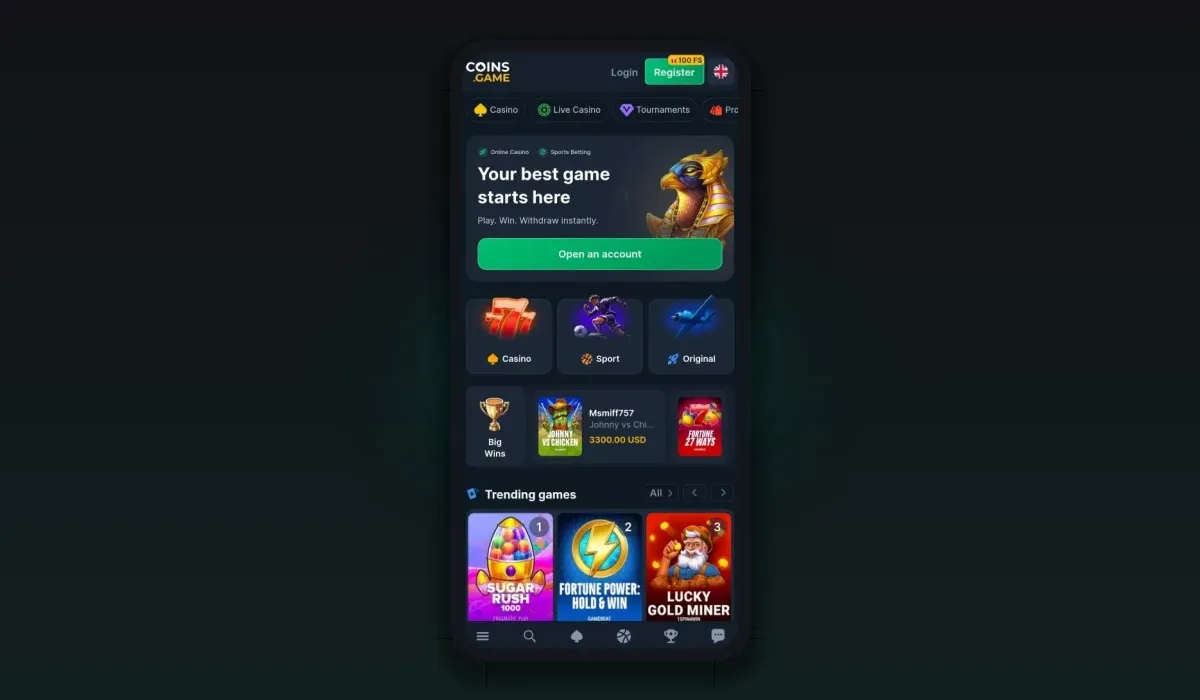
Open the casino with the button below and press Register in the top bar.
Choose a route: email and password, or a social account such as Google, Telegram, Twitch, Steam, Reddit, X or VK.
For email sign-up, set a strong password and confirm the address from the email the casino sends.
Open the account settings and switch on two-factor login.
Open the wallet, pick a balance currency and make the first deposit.
Open the Bonus cabinet and activate the welcome spins on a game.
Which sign-in route to choose
Email and password is the most portable route: it works on any device and is the only one with a reset by email. Social sign-in is faster, but it ties the account to that outside service, so choose one you will keep. If you play on several devices, Google or Telegram are the most convenient, since they are usually signed in already on a phone.
Whatever you pick, use the same route every time. A different social button opens a separate, empty account.
Choosing a balance currency
Coins Game holds a balance per currency, and you choose which one to fund first. There is no pound sterling account, so UK players usually pick a stablecoin such as USDT or USDC, which keeps a steady dollar value, or Bitcoin if they already hold it. EUR and USD are available as fiat options. You can add more balances later and convert between them in the wallet.
Your first deposit and the welcome spins
The welcome offer is paid on the first deposit, and its size decides the number of spins, up to the full 100 at the top tier. Winnings from the spins carry no wagering. The spins wait in the Bonus cabinet until you choose a game and press Activate, and they have a time limit counted from registration, so it pays to deposit and activate soon after opening the account. Tiers and terms are on our free spins page.
New accounts also see Beginner's Path in the cabinet: six tasks for new players, each with a reward, plus a welcome cashback for the first week.
Verification
Coins Game verifies identity through Sumsub, an outside verification service built into the site. The check is required before the first withdrawal and to join Rain, the free prize pool in the chat. You can start it from the settings straight after registration. Doing it early means the first payout is not held up later.
What a new account includes
A new Coins Game account comes with more than a balance. The Bonus cabinet opens with the welcome spins waiting for the first deposit, Beginner's Path with its six tasks, the daily Coins Spin and the welcome cashback for the first week. The VIP ladder starts at level one, with rakeback paid from the first bet. Missions, races and the weekly raffle are open from day one too.
In other words, the welcome offer is only the first of several things a new player can collect, and the first week is the best time to try them, because the welcome cashback and Beginner's Path only run for new accounts.
Common sign-up problems
The confirmation email does not arrive: check the spam folder and request a new email from the account; the casino shows the address it was sent to.
A social login opens an empty account: you have probably used a different social service from the first time; log out and use the original one.
The Register button does not respond: reload the page or try another browser; ad blockers can stop the sign-up window from opening.
The welcome spins do not appear: they are credited after the first deposit, not at sign-up, and wait in the Bonus cabinet for activation.
Customer support
| Channels | Live chat, Help Center, Telegram |
|---|---|
| Hours | 24/7 |
| Live chat | Yes |
| Languages | English, Deutsch, Français, Español, Português, Polski |
Before you register: three checks
Check the address in the browser bar; the buttons on this site follow the current casino address.
Read the welcome offer in the Bonus cabinet, where the live terms for your account are shown.
Check that accounts can be opened from your country in the casino's Terms of Use.
Once the account is open, the login guide covers signing back in and fixing access problems.
Setting limits from day one
A new account is the best moment to decide how much you want to spend. Pick a deposit amount for the month before you start, keep the welcome deposit within it, and use the self-exclusion option in the casino's settings if you ever need a break. Our responsible gambling page lists the tools and where to get free help.
Coins Game sign-up questions
How do I sign up at Coins Game?
Press Register on the casino site, choose email or a social account, confirm the email if you used one, and the account is ready.
Do I need a code to get the sign-up spins?
No. The welcome spins are credited after the first deposit and activated in the Bonus cabinet without a code.
Can I register with Telegram?
Yes. Telegram is one of the social routes, along with Google, Twitch, Steam, Reddit, X and VK.
Do I have to verify my identity at sign-up?
Not at sign-up. Verification is needed before the first withdrawal, and it can be started from the settings at any time.