
Coins Game runs a crypto-first cashier: one wallet that holds a separate balance for each coin or currency you use, with deposits credited once the network confirms them and payouts sent back in the same currency. Fiat balances in thirty currencies sit alongside the coins, but there is no pound sterling account, so UK players usually play from a crypto, EUR or USD balance. This guide covers the rules of the cashier, checked on 19 October 2026.
For the per-coin limits and fees, see the table on our payment methods page; for how long each stage of a payout takes, see the withdrawal time guide.
How you fund an account
Deposits start from the Deposit button in the header. You pick the balance currency, and for crypto the cashier shows a deposit address for the network you chose. You send coins from your own wallet or exchange to that address, and the balance updates once the network has confirmed the transfer the required number of times.
If you do not hold crypto, the wallet has a Buy Crypto option: a card payment through a third-party provider buys coins that land in your Coins Game balance. Fiat balances are funded through the local payment methods the cashier offers for that currency; which ones appear depends on the currency and the country of the account.
Balances, currencies and the display switch
The wallet keeps each balance apart: Bitcoin stays Bitcoin, Tether stays Tether. You play from one active balance at a time and can switch between them in the wallet. A "View in USD" setting shows every balance in US dollars, which makes it easier to compare a BTC and a USDT balance at a glance, and a "Hide 0 balances" switch keeps the list short.
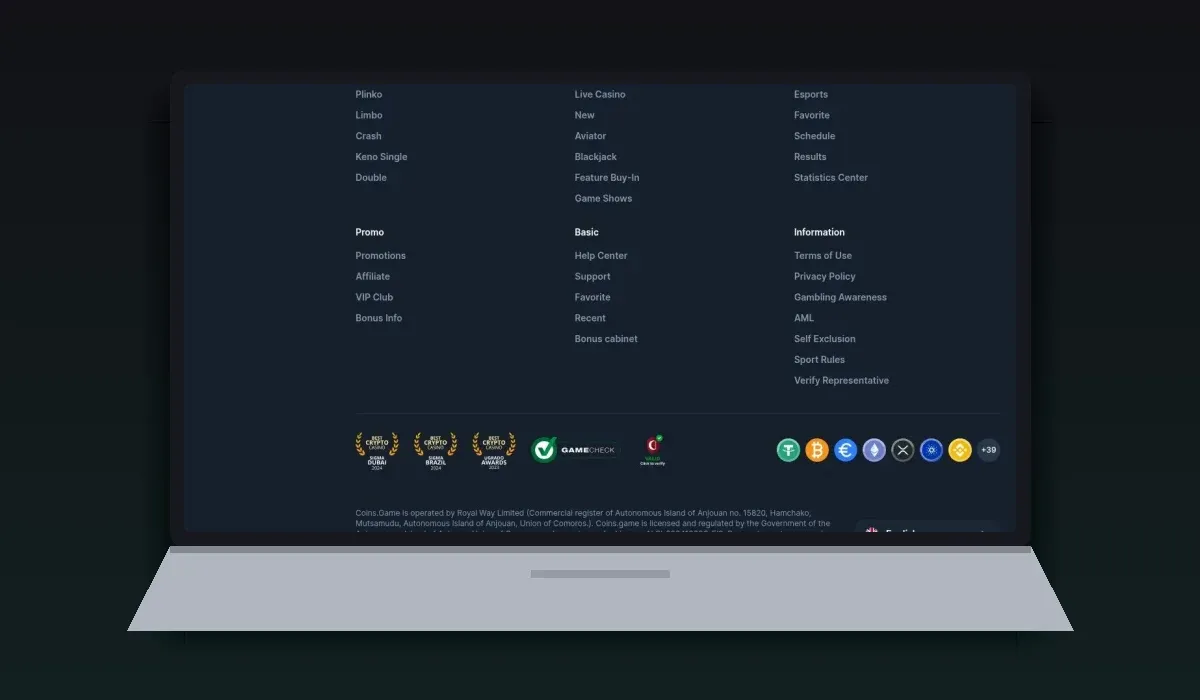
The footer lists the accepted currencies: sixteen cryptocurrencies, from Bitcoin and Ether to Solana, Dogecoin and Shiba Inu, and thirty fiat currencies including EUR, USD, CAD, AUD, PLN and BRL. The casino also runs its own token, JET, used inside the site. An exchange tool in the wallet converts one balance into another.
How withdrawals work
Withdrawals are requested from the wallet, in the currency of the balance. For crypto you paste the receiving address and pick the network; the cashier shows the minimum and maximum for that coin and the fixed network fee that will be deducted. The request is reviewed by the casino and then sent to the network.
Open the wallet and choose Withdraw.
Select the balance and the network, and paste your receiving address.
Enter the amount within the limits shown and confirm.
Wait for the review and the network confirmation.
The first payout of an account goes through identity verification. Completing it in the settings before you request money removes the longest wait from the process.
Payment methods
- JET
- Bitcoin
- Bitcoin Cash
- Tether
- USD Coin
- Ethereum
- Litecoin
- Dogecoin
- XRP
- Cardano
- TRON
- BNB
- Polkadot
- Solana
- Polygon
- Shiba Inu
Fees
Crypto withdrawals carry a fixed network fee set per coin and shown before you confirm; it is small on networks such as Tron or Litecoin and larger on Ethereum. The casino does not show a percentage fee on crypto payouts. Buy Crypto is run by an outside provider whose card fee appears on its own screen, and exchanges between balances inside the wallet are charged at the rate shown in the exchange tool.
Limits
Limits are set per coin, not per account: each currency has its own minimum deposit, minimum withdrawal and maximum per withdrawal request, listed in the payment methods table. Two independent reviews report an overall monthly withdrawal limit of £10,000.
Bonuses and the cashier
An active bonus affects withdrawals. Coins Game keeps bonus money in a separate bonus balance, and you play with real money first. Real-money winnings can be withdrawn at any time; bonus money turns into real money once its wagering is complete. The welcome free spins have no wagering on their winnings, so they do not hold up a payout.
Keeping payments safe
Copy and paste deposit and withdrawal addresses; never type them by hand.
Check that the network in the cashier matches the network in your wallet, for example TRC-20 with TRC-20.
Send a small test amount first when you use a new address or network.
Turn on two-factor authentication in the account settings.
Keep one account per person and pay from wallets in your own name.
A first crypto deposit, step by step
Open Deposit in the header and choose the coin, for example USDT.
Choose the network, for example TRC-20; the cashier shows an address for that network only.
Copy the address with the copy button.
In your wallet or exchange, paste the address, pick the same network and enter an amount above the minimum.
Send, and wait for the number of confirmations the cashier shows for that coin.
If the coins do not appear after the confirmations, open the support chat with the transaction hash from your wallet; it lets the team find the transfer at once.
Transaction history and statistics
The account menu has a Transactions page with every deposit, withdrawal and exchange, and a Statistics page with your betting totals. Betting history lists sport bets separately. Together they give a clear record of what went in and out, which is useful for budgeting and for any question to support.
The JET token and exchanges
Coins Game has its own token, JET, which appears among the balances. It cannot be used to place bets: the wallet asks you to exchange JET into another currency first. The exchange tool converts between any two balances at the rate shown before you confirm, which is also how you move winnings from a volatile coin into a stablecoin before a withdrawal.
Fiat currencies in the cashier
The cashier settings in October 2026 listed these fiat balances: US dollar, euro, Canadian, Australian and New Zealand dollar, Polish zloty, Brazilian real, Mexican, Argentine, Chilean, Colombian and Peruvian peso, Turkish lira, Ukrainian hryvnia, Kazakh tenge, Georgian lari, Azerbaijani manat, Uzbek som, Indian rupee, Bangladeshi taka, Indonesian rupiah, Malaysian ringgit, Thai baht, Philippine peso, Vietnamese dong, Japanese yen, Chinese yuan, South African rand, Nigerian naira, Kenyan shilling and Russian rouble. Pound sterling is not among them.
For a UK player, that leaves three practical options: a stablecoin balance in USDT or USDC, a EUR or USD balance, or a crypto balance in a coin you already hold.
Stablecoin or Bitcoin?
The choice of balance changes what a session means in pounds. A stablecoin such as USDT tracks the US dollar, so a balance of 100 USDT is worth roughly the same tomorrow as today, apart from the dollar-pound rate. A Bitcoin balance moves with the price of Bitcoin, so a winning session can lose value before the payout, or a losing one can recover. Players who want their results to reflect only the games usually choose a stablecoin and switch the wallet display to USD.
A deposit that has not appeared
Check the network: a transfer sent on a different network from the one selected in the cashier will not reach the balance.
Check the confirmations in a block explorer; the cashier credits the deposit only after the required number.
Check the amount: transfers below the coin's minimum deposit are not credited automatically.
Keep the transaction hash and send it to the support chat, which can trace the transfer.
Cashier terms in plain English
Balance: the amount held in one coin or currency; Coins Game keeps a separate balance for each.
Network: the blockchain a coin travels on, such as Tron or Ethereum; Tether exists on both.
Address: the destination for a transfer, unique to a coin and network.
Confirmation: a new block that settles a transfer; the cashier waits for a set number before crediting a deposit.
Network fee: a fixed amount per withdrawal, set per coin and shown before you confirm.
Transaction hash: the reference of a transfer on the blockchain, used to trace it.
Exchange: the wallet tool that converts one balance into another.
Buy Crypto: a card purchase of coins through an outside provider.
Who handles your payments
Card and bank payments for Coins Game are processed by its payment agent, Altrimax Limited, registered in Nicosia, Cyprus, as stated in the casino's footer. Crypto deposits go directly to the address the cashier shows. Knowing who handles which payment helps if a bank statement shows a company name you do not recognise: a card payment to the casino may appear under the payment agent's name.
Who the cashier suits
The cashier works best for players who already use crypto: deposits are quick once confirmed, fees are flat and visible, and each coin stays in its own balance. Players new to crypto can start with Buy Crypto and a stablecoin balance. Help with a stuck deposit or a pending payout is one chat away, as our support guide explains.
Coins Game payments questions
Does Coins Game accept pounds?
There is no pound sterling account. UK players usually choose a crypto, EUR or USD balance, and Buy Crypto turns a card payment into coins.
Can I deposit with a card?
Yes, through Buy Crypto in the wallet, which buys coins with a card through an outside provider and credits them to your balance.
Do I have to withdraw in the currency I deposited?
Payouts are made from a balance in its own currency. You can convert between balances with the exchange tool in the wallet before you withdraw.
Are there fees on withdrawals?
Crypto payouts carry a fixed network fee per coin, shown before you confirm the request.